Fill out the IRS's official 2026 Form W-4 with the Step 3 credits added up for you, sign it, and download the PDF to hand to your employer — free, no sign-up, and nothing leaves your browser.
Your name must match your social security card — if it doesn't, contact the SSA at 800-772-1213 so you get credit for your earnings.
Only if you hold more than one job at a time, or you're married filing jointly and your spouse also works. Do one of the following:
(a) Use the IRS estimator at irs.gov/W4App — the most accurate option, and the one to use if you or your spouse have self-employment income; or (b) use the Multiple Jobs Worksheet on page 3 of the form and enter the result in Step 4(c); or (c) tick the box below.
Only if your total income will be $200,000 or less ($400,000 or less if married filing jointly). The amounts are added up for you: $2,200 per qualifying child, $500 per other dependent.
How many, not a dollar amount.
How many, not a dollar amount.
Such as the foreign tax credit or education credits, if you want them counted. Whole dollars.
Optional. Whole dollars.
Interest, dividends, retirement income and the like — if you want tax withheld for it here and won't have it withheld otherwise.
If you expect to claim deductions beyond the standard deduction, work through the Deductions Worksheet on page 4 of the form (kept in the download when you include the instruction pages) and enter its result. Leave blank to use the standard deduction.
Any additional tax you want withheld each pay period — for example the result of the Multiple Jobs Worksheet.
Only if you had no federal income tax liability in 2025 and expect none in 2026. An exempt certificate expires — you'll need a new W-4 for 2027.
Under penalties of perjury, you declare that the certificate is true, correct, and complete. The form is not valid unless you sign it.
Prefer a pen? Leave the signature blank and sign the printed page.
Your employer completes this after you hand the form in. Fill it in only if you're preparing the form for an employee.
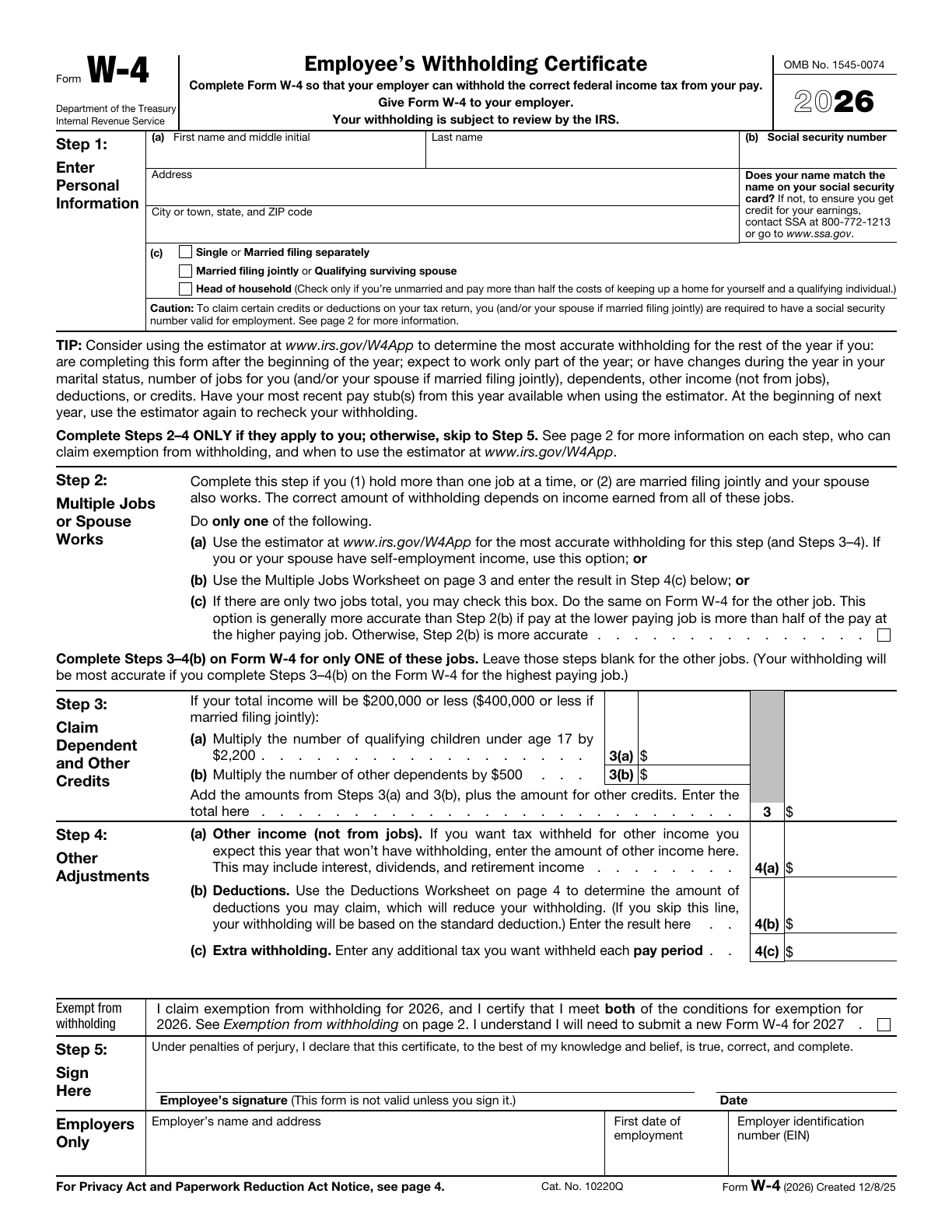
The real form. This is the IRS's own 2026 Form W-4, the current version. Your answers go into its fields, the result is flattened into a plain PDF that every reader shows the same way, and by default only the one-page certificate is included — keep pages 2–5 (the instructions, the Multiple Jobs and Deductions worksheets, and the tables) if you want them.
The arithmetic is done for you. Step 3 asks you to multiply children by $2,200 and other dependents by $500 and add other credits; here you type the counts and the form fills in 3(a), 3(b) and line 3. Dollar amounts are printed whole, with commas, the way the IRS asks.
What it deliberately doesn't do. It doesn't estimate your withholding — the IRS's Tax Withholding Estimator at irs.gov/W4App does that with your actual pay stubs, and the form itself recommends it. Step 2(b)'s Multiple Jobs Worksheet and Step 4(b)'s Deductions Worksheet stay on the form's own pages; enter their results in 4(c) and 4(b).
Private by design. The PDF is built right here in your browser. Nothing is uploaded, there is no account, and your draft lives only in this browser's storage. Your SSN and signature are the sensitive part, so they are not stored at all unless you switch on Remember my SSN and signature on this device.
Sign it — or don't. Draw your signature with a mouse, finger or pen and it is placed on the signature line beside the date. Prefer ink? Leave it blank, print the PDF and sign by hand. The form is not valid unless it is signed.
Step 1 — your name, address, social security number and filing status. Everyone completes this step. Step 2 — only if you have more than one job at a time, or you're married filing jointly and your spouse works: use the estimator, the worksheet, or tick box (c) if there are exactly two jobs in total.
Step 3 — dependents and other credits, only on the W-4 for your highest-paying job and only if your income is within the limits printed on the form. Step 4 — optional: other income you want withholding on, deductions beyond the standard deduction, and any extra amount per paycheck.
Exempt — only if you had no federal income tax liability last year and expect none this year. An exempt certificate has Steps 1(a), 1(b) and 5 only and must be renewed each year. Step 5 — sign and date. The "Employers Only" block is for your employer.
Where does the W-4 go? To your employer — never to the IRS. This tool doesn't send it anywhere; you download the PDF and hand it in (or upload it to your employer's HR system).
Do I need a new W-4 every year? Only if your situation changes or you claimed exemption. If you don't submit one, your employer keeps using the last one on file.
Is this the official form? Yes — the IRS's 2026 Form W-4, filled in and flattened. The form and its instructions are at irs.gov/FormW4.
Is it really free? Yes — no sign-up, no watermark, no limit.
Where is my data stored? Only in this browser's local storage, on your device — and the SSN and signature only if you ask for them to be remembered. Start over erases everything.
